

Centerville SignumOne E‑Signature for SSD Law Firms

Centerville SignumOne streamlines SSD case management by applying electronic signatures automatically across all required fields. As a result, your team reduces errors, removes manual steps, and keeps cases moving forward faster.
Instead of having clients sign and initial the same form repeatedly, SignumOne uses a single stored signature for unlimited use within the client’s account. In addition, full document coverage and automatic field population create a smoother client experience from intake through resolution.
A person using a stylus on a tablet with a digital interface and document graphics displayed.

Outcome‑Focused E‑Signature
One Signature Does It All.

SSD case management with electronic signatures streamlines document signing while supporting secure, compliant case workflows. As a result, SignumOne reduces manual effort and keeps documentation moving smoothly through every stage. In addition, faster signing helps your team maintain momentum from intake through resolution.

Centerville SignumOne Auto E-Signature

Capture a client’s signature once, and then apply it automatically across every required field. That way, you eliminate repeated signing sessions and reduce delays.

Automatic Field Population

Smart automation detects every signature‑required field and fills it instantly. As a result, document preparation drops from hours to seconds.

Full Document Coverage

Ensure no required signature field is ever missed, giving your firm complete, court-ready documentation every single time.

Effortless Client Experience

Clients sign once and move forward, so there’s no confusion or back‑and‑forth. Most importantly, your SSD case management stays efficient while electronic signatures keep the process moving.
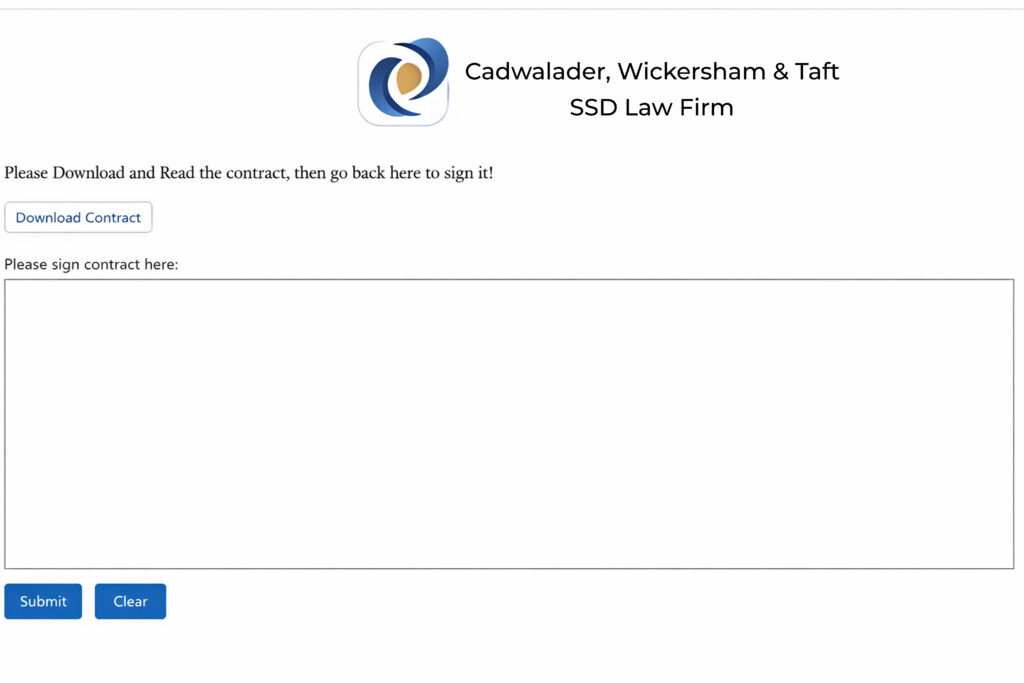
A web page displaying a Centerville Software Solutions logo and a contract signing form with buttons.
Example of a SignumOne Document

How it works

Sign once. Cover everything.

Centerville SignumOne Auto E‑Signature captures your client’s signature one time and then applies it automatically across every required field. As a result, you eliminate repeated signing sessions, reduce errors, and deliver a faster, more professional experience.

Step 1

Launch your SignumOne file inside Salesforce—so no separate app or login is required.

Step 2

Draw your signature once in the designated signature box.

Step 3

Finally, click Submit. Within seconds, SignumOne applies the signature to every required field across the document, so your paperwork is complete in one pass.

Software Products

Legal CRM (CV1)

Salesforce-native case management built for SSD law firms. Intake to resolution - all in one organized, intuitive platform

Centerville Mergelex

Smart document assembly with clause logic, multi-object support, and legal-grade formatting.

Centerville SignumOne

One signature, full coverage—apply a client’s signature across required fields automatically.​

Centerville LedgerIQ​

Salesforce-native accounting with legal-grade accuracy—trust, expenses, billing, and revenue.

Centerville SMS Plus

Send templated, automated SMS from Salesforce records to keep clients informed and engaged.​

Centerville Formata

Build branded, fillable forms that capture structured data and sync it directly into Salesforce.​

Excited to work together on your next project?​

Schedule a free consultation with our team and let’s make things happen!

A hand holding a pen over a printed document on a desk.